
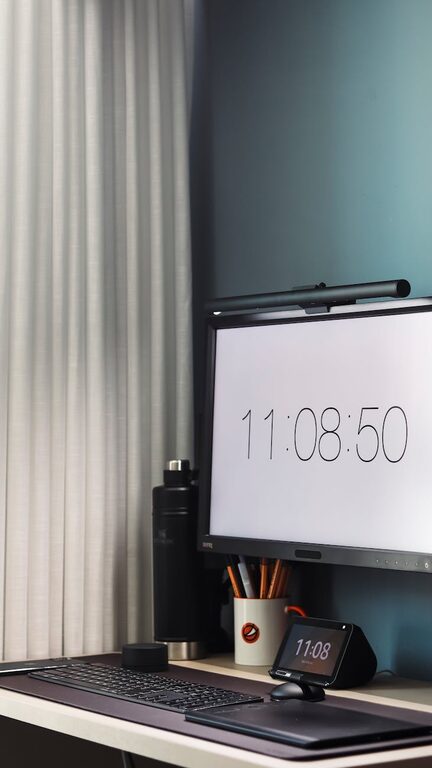
Creating a dedicated, well-organized home office can make a significant difference in your productivity and overall work satisfaction. Whether you work remotely full-time or need a quiet spot for occasional tasks, an orderly workspace helps reduce distractions and streamline your day.
In this post, we’ll explore practical tips to organize your home office effectively and boost your productivity.
Why Organize Your Home Office?
Before diving into tips, it’s helpful to understand why organizing matters:
– Improves focus: A clutter-free environment minimizes distractions and allows you to concentrate better.
– Saves time: Finding documents and supplies becomes easier, reducing time wasted searching.
– Enhances comfort: A tidy space can be more inviting and stress-free.
– Supports work habits: Organization encourages routines and efficient workflow.
Let’s explore actionable strategies to optimize your home office setup.
Choosing the Right Location
First things first: select the best spot for your home office.
– Pick a quiet area away from household traffic.
– Ensure adequate natural light to reduce eye strain and boost mood.
– Consider ventilation and temperature control for comfort.
– Choose space with enough room for your desk, chair, and storage.
If space is limited, a corner of a room or even a closet nook can work well with smart organization.
Declutter and Keep Only Essentials
Start organizing by clearing out unnecessary items.
– Remove duplicates, broken equipment, and unused supplies.
– Keep only tools and materials you regularly need.
– Sort items into categories: paperwork, electronics, stationery, personal items.
Decluttering frees up space and reduces visual distraction.
Optimize Desk Setup
Your desk is the heart of your workspace—make it inviting and functional.
– Use a desk with enough surface area for your computer, notepad, and essentials.
– Position your monitor at eye level to promote good posture.
– Place frequently used items within arm’s reach.
– Keep the desktop surface clear except for essential tools.
Try to limit decorations to a few inspiring or calming items to avoid clutter.
Smart Storage Solutions
Effective storage helps keep your workspace organized.
Use Drawers and Shelves
– Store supplies in drawer organizers or labeled bins.
– Use open shelves for books and reference materials.
– Keep files in vertical organizers or file cabinets.
Utilize Wall Space
– Install wall-mounted shelves for extra storage without taking floor space.
– Use pegboards or corkboards for tools, notes, and reminders.
Digital Storage
– Scan important documents to reduce paper clutter.
– Use cloud storage or external drives to organize files digitally.
Create a Filing System
Organize paperwork with a clear filing system.
– Sort documents into categories like bills, receipts, work projects, and personal files.
– Use labeled folders or binders.
– Set up an inbox for incoming papers to process regularly.
– Schedule weekly time to file and review important documents.
This helps maintain order and keeps important papers accessible.
Cable Management
Tidy cables can make a big difference in your workspace appearance.
– Use cable clips, sleeves, or ties to bundle cords.
– Label cables to identify them quickly.
– Position power strips within reach but out of sight.
– Consider wireless peripherals like keyboard and mouse.
Cable management reduces clutter and prevents accidental unplugging.
Personalizing Your Space Without Overcrowding
Personal touches can make your office feel welcoming without distracting you.
– Add a plant for natural freshness.
– Hang artwork or motivational quotes.
– Use calming colors in organizers or décor items.
– Keep personal photos in minimal frames.
Aim for balance—choose items that inspire but don’t overwhelm.
Plan Your Workflow
Organize your work habits alongside your physical space.
– Use a planner or app to schedule tasks.
– Prioritize work by setting daily goals.
– Set up zones: one area for computer work, another for paperwork or brainstorming.
– Take breaks in a different part of your home to stay refreshed.
A planned workflow helps maintain productivity throughout the day.
Regular Maintenance
Organization is ongoing. Set time weekly or monthly to:
– Clean surfaces and dust electronics.
– Sort through pending papers.
– Reassess storage needs.
– Declutter items that accumulate over time.
Regular upkeep keeps your home office efficient and inviting.
Conclusion
Organizing your home office doesn’t require expensive tools or a large space. By decluttering, optimizing storage, and planning your workflow, you can create a comfortable, distraction-free workspace that enhances productivity. Start small and adjust as you go—your ideal home office is within reach!