
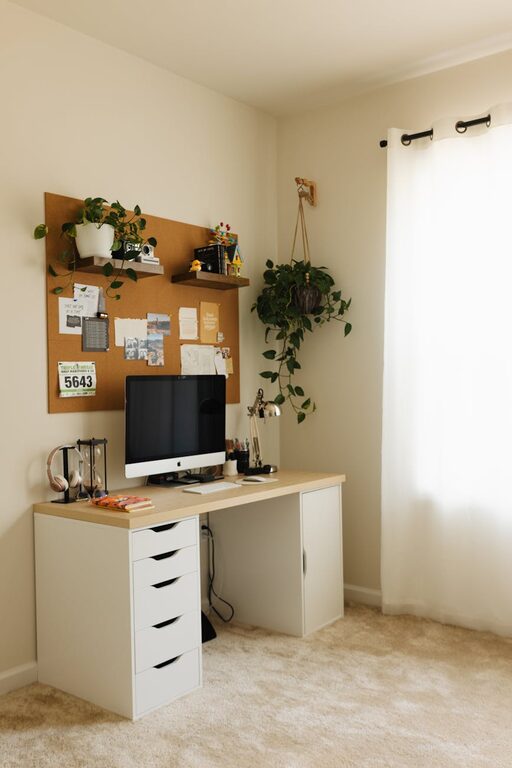
Creating a home workspace that is both cozy and functional can greatly improve your productivity and overall comfort while working from home. Whether you have a dedicated room or just a small corner, the right setup will help you stay focused and motivated. In this guide, we’ll explore practical tips and ideas to design a space that looks great and supports your work needs.
Choose the Right Location
Finding the best spot in your home for a workspace is the first step. Ideally, it should be a quiet area with minimal distractions. If possible, select a place with good natural light, as sunlight helps improve mood and focus.
Consider these factors when picking your workspace location:
– Away from high-traffic areas
– Near a window for daylight
– Close to power outlets
– Enough space for your work essentials
Invest in Comfortable Seating
Comfort is key for long hours of work. Choose an ergonomic chair that supports good posture to avoid discomfort and potential health issues.
Tips for selecting the right chair:
– Look for adjustable height and lumbar support
– Test the chair before buying if possible
– Add a cushion or footrest if needed for extra comfort
Optimize Your Desk Setup
Your desk should be the right size to hold your computer, supplies, and any other tools you need daily. Keep the surface clutter-free to maintain focus and efficiency.
Desk organization ideas:
– Use organizers or trays for stationery
– Keep only essential items on your desk
– Use vertical storage for papers and files
Enhance Lighting
Good lighting reduces eye strain and creates a pleasant work atmosphere. Combine natural light with task lighting for the best results.
Lighting tips:
– Use a desk lamp with adjustable brightness
– Position your screen to avoid glare
– Consider warm LED lights for a cozy feel
Personalize Your Space
Adding personal touches makes your workspace inviting and motivates you. Small decorations, plants, or artwork can make a big difference.
Ideas to personalize:
– Display favorite photos or inspirational quotes
– Add a small indoor plant for freshness and improved air quality
– Use colors that soothe or energize you
Manage Cable Clutter
Cables and wires can make your workspace messy and distracting. Use cable organizers or clips to keep cords out of the way and maintain a tidy environment.
Cable management tips:
– Label cables for easy identification
– Use cable sleeves or ties to bundle wires
– Place power strips under or behind the desk
Incorporate Storage Solutions
Adequate storage helps keep your workspace organized, which in turn boosts efficiency. Use shelves, drawers, or bins suited to your work materials.
Storage options to consider:
– Floating shelves for books and decor
– File cabinets or storage boxes for documents
– Desk organizers for small office supplies
Maintain a Clean and Decluttered Environment
A clean workspace promotes clarity and patience. Make it a habit to tidy up at the end of each day and remove any unnecessary items.
Cleaning routine ideas:
– Wipe down surfaces regularly
– Sort and file papers weekly
– Remove unused items to keep the space minimal
Use Sound Control Measures
If noise is a concern, try adding elements that reduce sound distractions. Options include noise-canceling headphones, rugs, or soundproofing panels.
Sound management tips:
– Choose a quiet corner or room
– Use earplugs or headphones during calls or focused work
– Add soft furnishings to absorb sound
Take Breaks and Move Around
Lastly, remember that no workspace is perfect without considering your wellbeing. Schedule regular breaks and move around to refresh your mind and body.
Healthy work habits:
– Set a timer for short breaks every hour
– Stretch or walk briefly during breaks
– Adjust your seating or standing position periodically
—
By following these tips, you can create a home workspace that feels inviting, keeps you comfortable, and helps you do your best work every day. Enjoy designing a space that suits your style and work habits perfectly!